分类目录归档:Fastapi

中间件

中间件(Middleware)是一个在每次请求进入 FastAPI 应用时都会被执行的函数。
它在请求到达实际的路径操作(路由处理函数)之前运行,并且在响应返回给客户端之前再运行一次。

作用: 为每个请求添加统一的处理逻辑(记录日志、身份认证、跨域、设置响应头、性能监控等)

@app.middleware('http')
async def add_process_time_header(request: Request, call_next):
print('process_time_header called')
response = await call_next(request)
print('process_time_header called with response {}'.format(response))

代码如上 在访问根路径时会报错

原因: 缺少return 框架后面会把“返回的响应”当成可执行对象继续处理;现在拿到的是 None ,所以报:

TypeError: ‘NoneType’ object is not callable

修改代码

@app.middleware("http")
async def add_process_time_header(request: Request, call_next):
print("process_time_header called")
response = await call_next(request)
print("process_time_header called with response {}".format(response))
return response

再次访问 控制台输出日志

process_time_header called
process_time_header called with response
INFO: 127.0.0.1:60206 – “GET / HTTP/1.1” 200 OK

@app.middleware("http")
async def add_process_time_header(request: Request, call_next):
print("process_time_header called")
response = await call_next(request)
print("process_time_header called with response {}".format(response))
return response

@app.middleware("http")
async def middleware_test(request,call):
print("middleware_test start")
res = await call(request)
print("middleware_test end")
return res

多个中间件执行顺序是由下而上的

middleware_test start
process_time_header called
process_time_header called with response
middleware_test end
INFO: 127.0.0.1:60431 – “GET / HTTP/1.1” 200 OK
响应类型

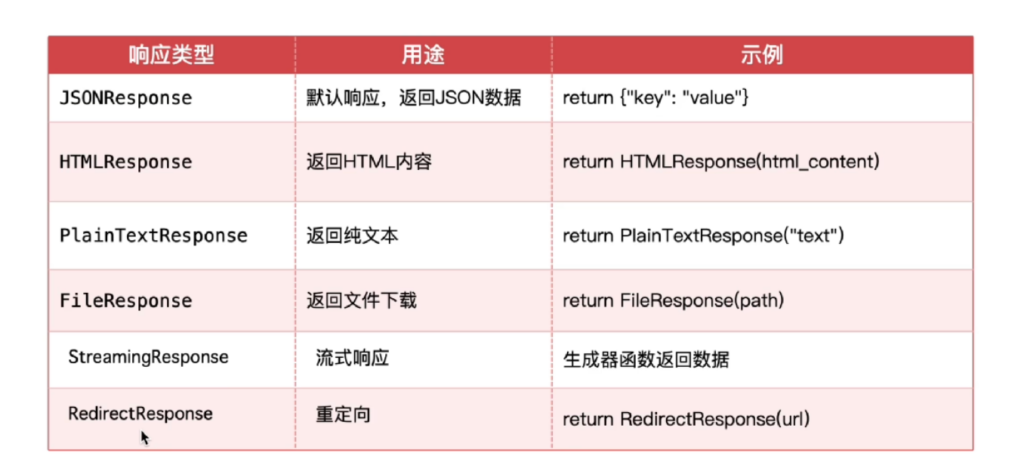
默认情况下,FastAPI会自动将路径操作函数返回的 Python对象(字典、列表、Pydantic 模型等),经由jsonable_encoder 转换为JSON 兼容格式,并包装为 JSONResponse 返回。这省去了手动序列化的步骤,让开发者能更专注于业务逻辑。如果需要返回非 JSON 数据(如 HTML、文件流),FastAP! 提供了丰富的响应类型来返回不同数据

自定义响应格式

response_model 是路径操作装饰器(如 @app.get或 @app.post)的关键参数,它通过一个 Pydantic 模型来严格定义和约束 AP! 端点的输出格式。这一机制在提供自动数据验证和序列化的同时,更是保障数据安全性的第一道防线。

class News(BaseModel):
    id: int
    title: str
    content: str


@app.get("/news/{id}", response_model=News)
async def get_news(id: int):
    return {
        "id": id,
        "title": f"这是第{id}本书",
        "content": "这是一本好书"
    }

参数

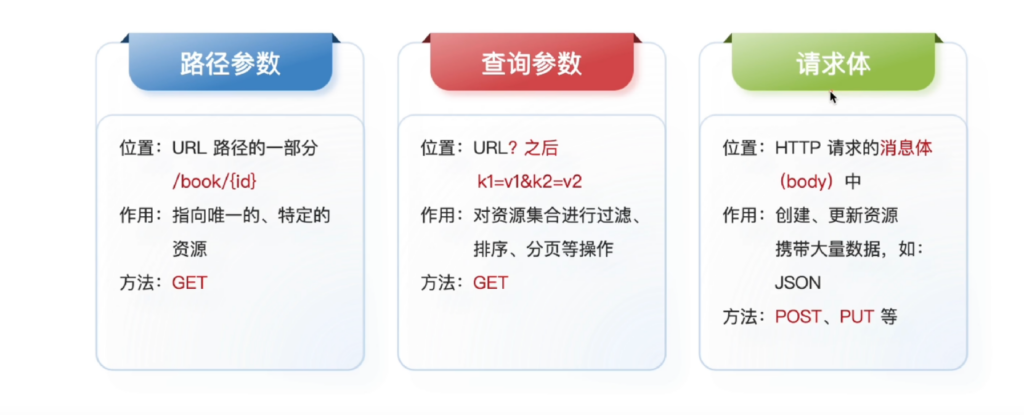
不同情况下的参数作用与意义各不相同

1.路径参数

@app.get("/book/{id}")
async def get_book(id: int):
    return {"id": id}

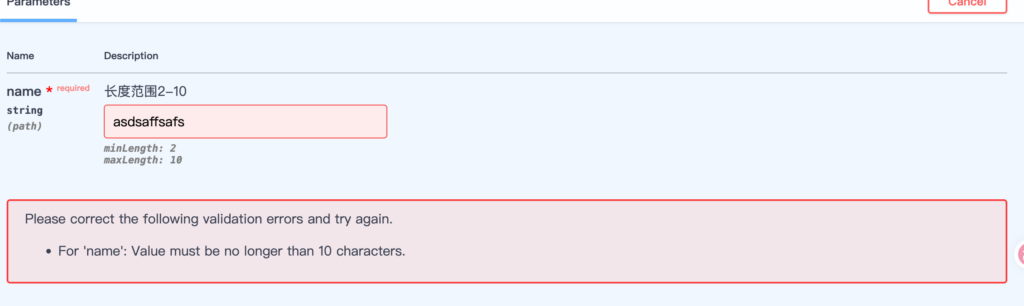
Path

@app.get("/get_name/{name}")
async def get_nanme(name: str = Path(...,max_length=10,min_length=2,description='长度范围2-10')):
    return {"name": name}

通过导入Path 可以控制参数的一些条件

第一个位置的 … 代表该参数必填

max_length和min_length分别限制了最大和最小长度

description 表示注解

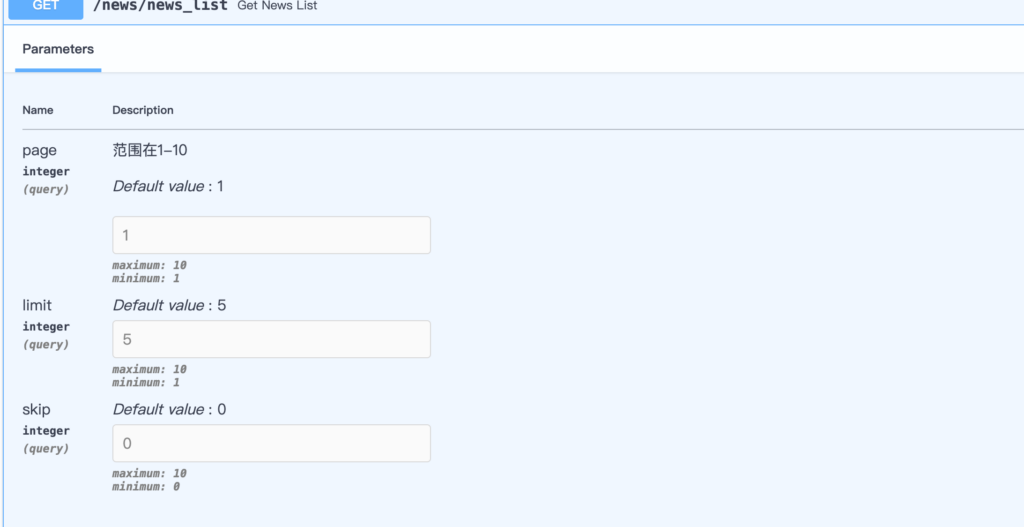
2.查询参数

@app.get("/news/news_list")
async def get_news_list(
        page: int = Query(default=1, ge=1, le=10,description='范围在1-10'),
        limit: int = Query(default=5, ge=1, le=10),
        skip: int = Query(default=0, ge=0, le=10),
):
    
    return {"page": page, "limit": limit, "skip": skip}

Query

查询参数可以通过Query来控制

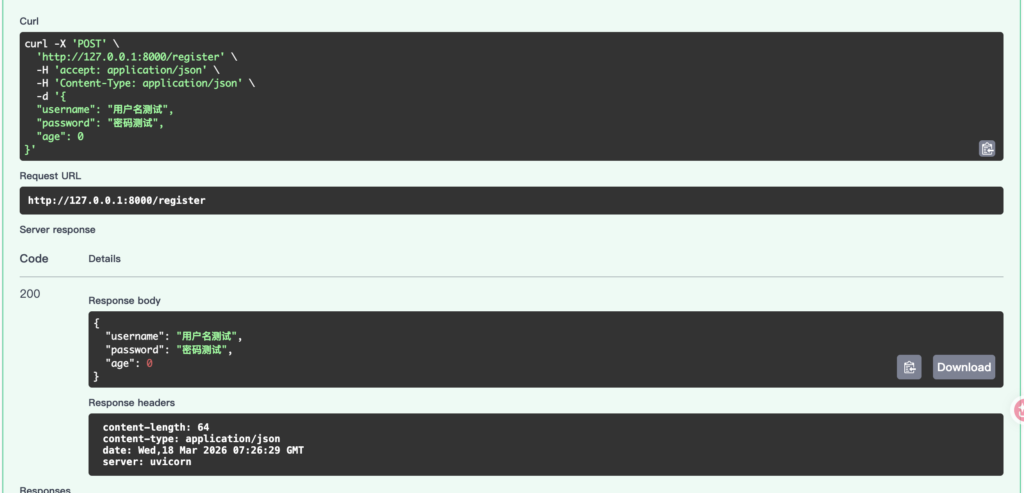
3.请求体参数

class User(BaseModel):
    username: str = Field(...,min_length=2,max_length=10,description='输入用户名,长度2-10')
    password: str = Field(...,min_length=2,max_length=10,description='输入密码,长度2-10')
    age: int

@app.post("/register")
async def register(user: User):
    return user

Filed

这里输入注解时是不提醒的

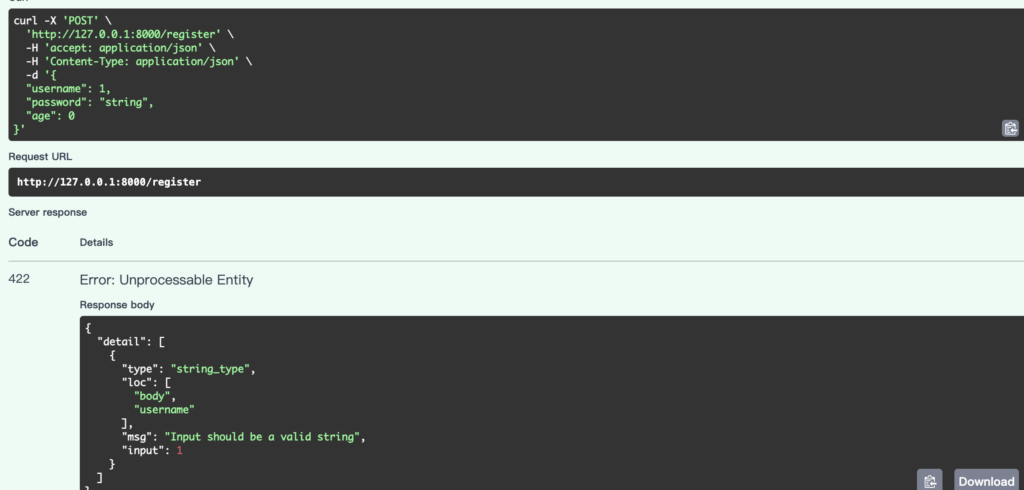
当输入类型错误时响应会有提示

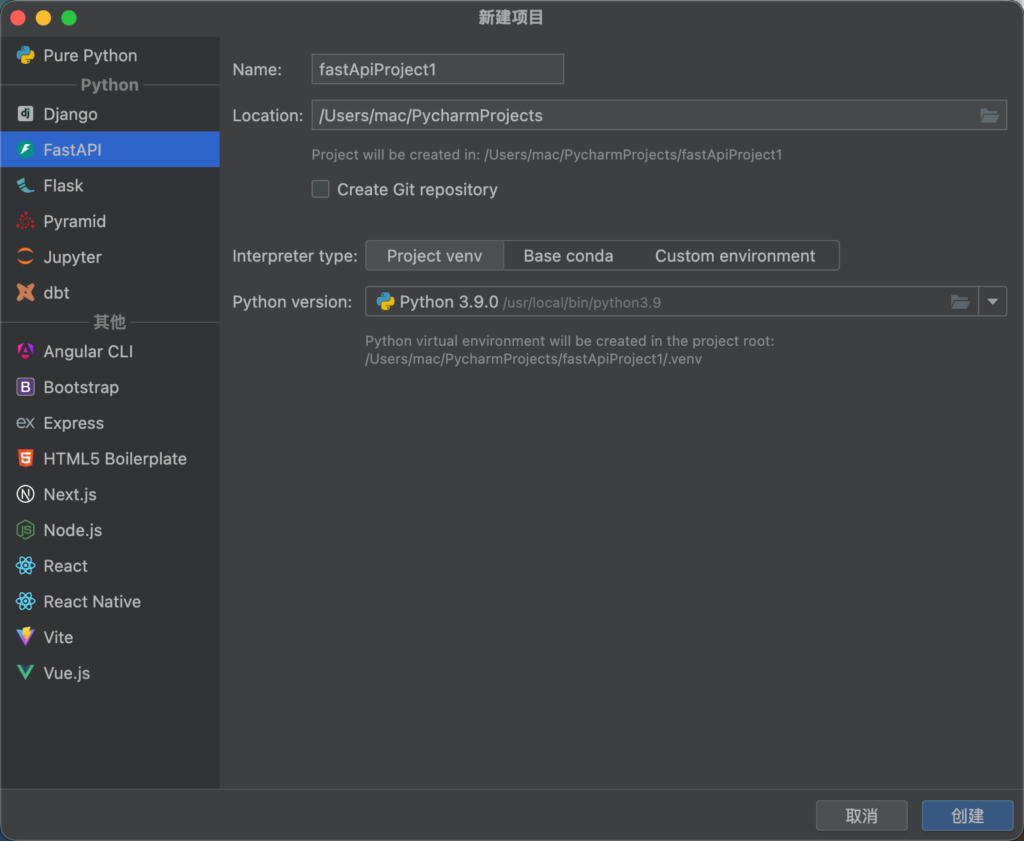
创建web项目

运行服务

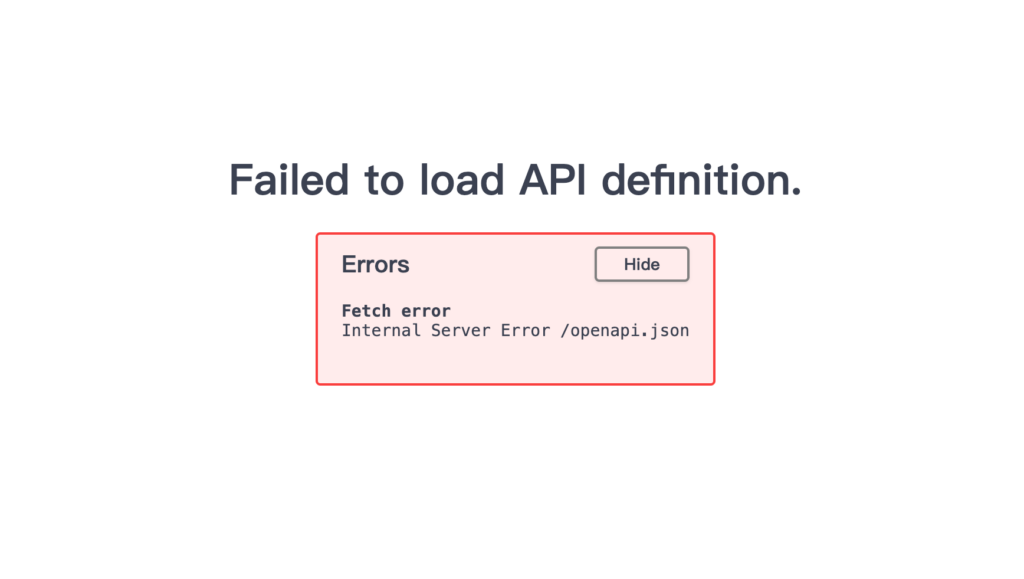
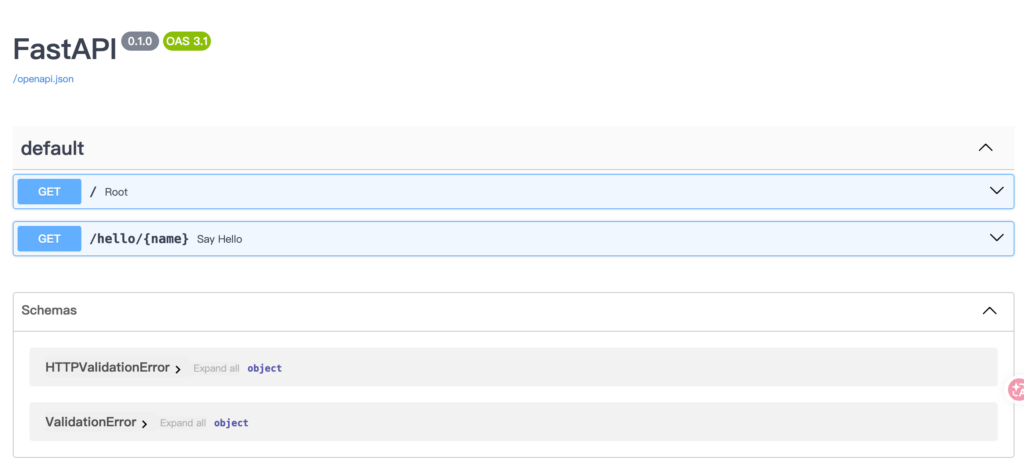
访问/docs (交互式文档)出现报错

可以看到这里解释器版本是3.9

执行命令

python -c "import sys,fastapi,pydantic,pydantic_core,importlib.metadata as m; print(sys.version); print('fastapi',fastapi.__version__); print('pydantic',pydantic.__version__); print('pydantic_core',pydantic_core.__version__); print('typing-inspection',m.version('typing-inspection'))"
3.9.0 (v3.9.0:9cf6752276, Oct  5 2020, 11:29:23) 
[Clang 6.0 (clang-600.0.57)]
Traceback (most recent call last):
  File "<string>", line 1, in <module>
AttributeError: module 'typing_inspection' has no attribute '__version__'

astAPI 已经移除 3.8 支持,并持续跟进新版本 Python(已提到支持到 3.14)

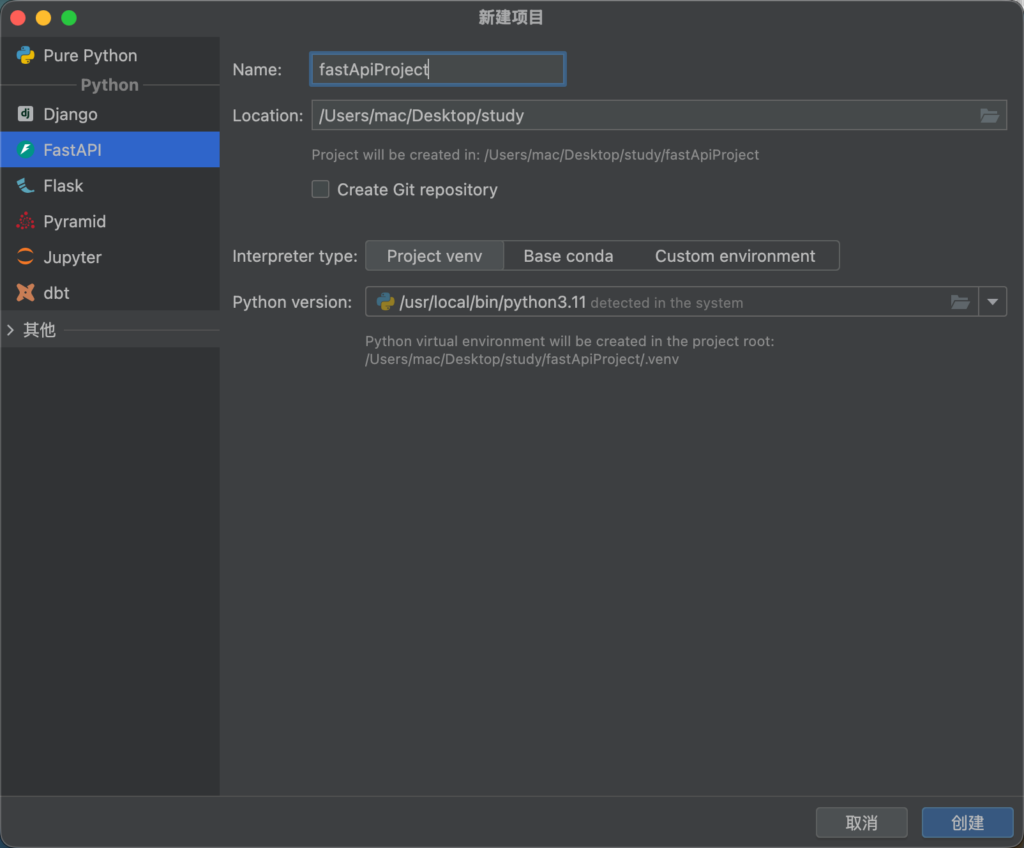
选择更新解释器版本并且重新配置虚拟环境,这里为了方便,重新创建项目并且选择比较适配的3.11版本

创建完成后重新运行服务并且访问/docs (交互式文档)